
How to Balance a Ceiling Fan That Wobbles on a Long 36-Inch Downrod
Addressing the issue of balancing a Ceiling Fan That Wobbles on a Long 36-Inch Downrod is a common challenge for homeowners with high ceilings. Because the extended length of the rod acts like a lever, even a minor imbalance at the blade level becomes magnified, causing visible oscillation. This guide provides actionable steps to restore stability, ensuring your fan operates quietly and safely.
By following these methodical checks, you can effectively eliminate the pendulum effect and restore smooth performance to your fixture without needing to replace the entire unit. You will learn how to diagnose the root cause, adjust hardware, and apply corrective balancing measures to achieve long-term rotational stability.
Immediate Fixes for Excessive Wobble

If your fan is shaking violently, the first step is to check if the issue stems from loose hardware. A 36-inch downrod is particularly susceptible to the pendulum effect, where small imbalances at the blade tips translate into large swings at the canopy.
Before you attempt any complex balancing, tighten every screw you can reach. This includes the blade-to-iron screws, the iron-to-motor screws, and the set screws on the downrod itself.
Many users overlook the set screws located at the top and bottom of the downrod. These pins, often secured by a clevis pin and a cotter pin, can loosen over time due to motor vibration.
If these are loose, the entire assembly will tilt slightly, leading to lateral movement that no amount of blade balancing can fix. Ensure the mounting bracket is also firmly anchored to the electrical junction box in the ceiling.
Check the connection between the ball-and-socket joint and the ceiling canopy as well. If the ball is not properly seated in the bracket, the entire rod will wobble regardless of how well the blades are balanced.
You can verify this by gently pushing the rod to see if it shifts inside the bracket housing. If it moves, re-seat the ball to ensure it is locked into the groove of the mounting bracket.
Verifying Blade Alignment and Height

Once the hardware is secure, you must address the blade alignment. If one blade is even a quarter-inch higher or lower than the others, the fan will catch air unevenly, creating a rhythmic wobble.
Measuring blade height is the most accurate way to detect this. Use a yardstick or a long tape measure to check the distance from the tip of each blade to the ceiling.
Ensure the fan is turned off and the motor has completely stopped before you begin measuring. Place your yardstick on a stable surface, such as a ladder or a chair, directly under the tip of one blade.
Record the measurement from the ceiling to the blade tip, then carefully rotate the fan by hand to measure the next blade. Repeat this for all blades to see if there is a discrepancy.
If one blade sits lower than the rest, the blade iron may be bent. You can often fix this by gently bending the iron back into place with your hands.
Apply pressure slowly to avoid snapping the metal, checking the height after each adjustment. If the blade iron is warped beyond repair, you may need to order a replacement part from the manufacturer to restore balance.
The Science of Using a Balancing Kit
When physical alignment fails, the next logical step involves utilizing a balancing kit. These kits are inexpensive and consist of a plastic balancing clip and several adhesive weights.
The clip is designed to temporarily hold a weight on a blade to identify which one is causing the imbalance. By shifting the clip from blade to blade, you can pinpoint the exact source of the drag or weight deficiency.
Attach the balancing clip to the center of the trailing edge of one blade. Turn the fan on at its high-speed setting and observe if the wobble decreases or increases.
If the wobble remains the same, move the clip to the next blade and repeat the process. Continue this until you find the blade that, when clipped, makes the fan run significantly smoother.
Once you identify the offending blade, slide the clip inward or outward until you find the “sweet spot” where the vibration is minimized. Place an adhesive weight directly onto the top of the blade, aligned with where the clip was positioned.
Remove the clip and run the fan again to confirm that the weight has corrected the issue. If the wobble persists, you may need to add a second weight slightly offset from the first.
Evaluating Structural Integrity and Mounting

A 36-inch downrod exerts significant force on the ceiling joist. If the electrical junction box is not rated for a heavy ceiling fan, the entire support structure might be flexing under the weight.
This is a common issue in older homes where the junction box was intended only for lightweight lighting fixtures. You must ensure the box is a fan-rated model capable of handling the torque and oscillation of a long-rod setup.
Inspect the mounting bracket for any signs of metal fatigue or loose mounting bolts. If the bracket is wobbly, the rod will never stay centered.
You can add rubber vibration dampening washers between the bracket and the ceiling to absorb minor movements. These small additions can significantly reduce the transmission of vibrations through the ceiling structure.
If you suspect the ceiling joist itself is not stable, you may need to access the attic to reinforce the support. A simple 2×4 wooden block secured between two joists can provide a much firmer base for the fan’s mounting bracket. Without a solid foundation, even a perfectly balanced fan will appear to wobble because the ceiling structure is moving along with the motor.
Identifying Motor and Internal Issues
Sometimes, the wobble is not caused by the blades at all, but by internal motor problems. If you notice a grinding noise, burning smells, or excessive heat coming from the motor housing, you should stop using the fan immediately.
These symptoms often indicate bearing wear or electrical failure. A worn bearing will cause the motor shaft to develop “play,” allowing the entire assembly to tilt during rotation.
To check for shaft play, turn off the power and gently grasp the downrod near the motor housing. Try to wiggle it back and forth; if you feel movement in the motor shaft, the internal bearings are likely compromised.
Unfortunately, replacing motor bearings is a complex task that often requires specialized tools and technical knowledge. In many cases, it is more cost-effective to replace the fan motor or the entire unit.
You should also verify that the motor housing is perfectly level. If the housing is tilted, the fan will naturally wobble regardless of the blade weight.
Use a small spirit level on top of the motor housing to check its orientation. If it is off-center, you will need to adjust the mounting bracket or the downrod connection to bring it back to a perfectly vertical position.
Common Causes of Fan Imbalance
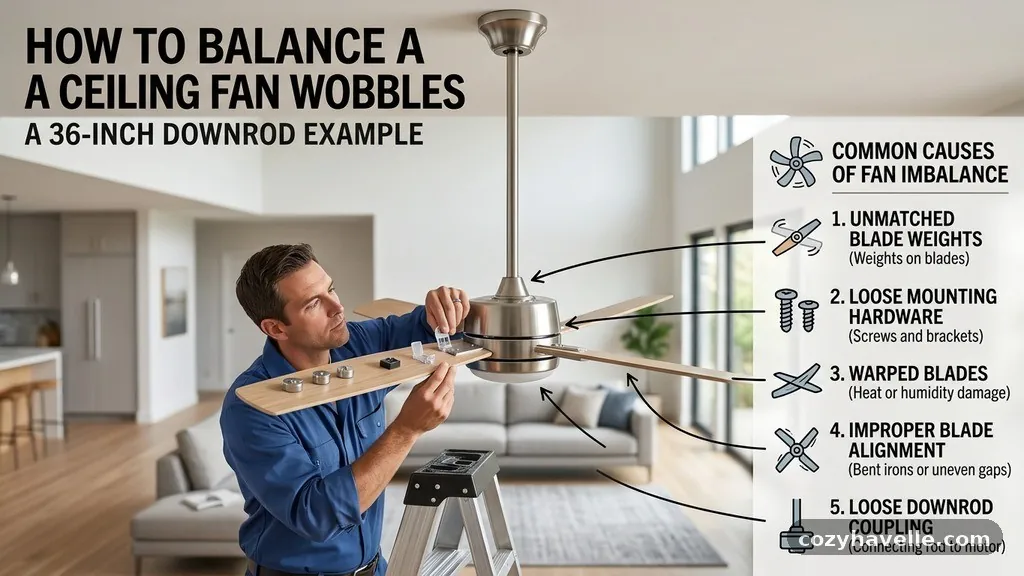
Understanding why fans become unbalanced can help you prevent future issues. Over time, dust accumulation on the top of the blades can add enough weight to throw off the balance.
This is especially true if the dust is not distributed evenly. Clean your blades regularly to ensure they remain at their factory-calibrated weight.
Below is a summary of common factors that contribute to ceiling fan wobbling:
| Cause | Effect on Wobble | Solution |
|---|---|---|
| Loose Blade Screws | Minor to Moderate | Tighten all hardware |
| Uneven Blade Pitch | Significant | Adjust blade iron angle |
| Dust Buildup | Minor | Clean blades thoroughly |
| Worn Motor Bearings | Severe | Replace motor or bearings |
| Unstable Junction Box | Severe | Reinforce ceiling support |
Each of these factors can be exacerbated by the length of a 36-inch downrod. Because the distance from the pivot point is greater, the leverage effect is much stronger. This is why a 1-gram imbalance on a short rod might be invisible, while the same imbalance on a long rod becomes a noticeable, rhythmic shake.
Safety Considerations and When to Seek Help
Safety is paramount when dealing with overhead fixtures. Always turn off the power at the wall switch and the circuit breaker before performing any maintenance.
Never attempt to adjust a fan while it is spinning, as the force generated by a large fan can cause serious injury. If you are working on a ladder, ensure it is placed on a level surface and that you have a spotter to help stabilize it.
When to seek professional assistance is a critical judgment call. If you have tightened all hardware, balanced the blades, and checked the junction box, but the fan still wobbles, there may be an issue with the motor shaft or internal assembly.
Electrical work, especially involving junction boxes and wiring, should be performed by a licensed electrician. You can find guidance on safety standards through the National Fire Protection Association to ensure your electrical setup meets local codes.
If the fan has been wobbling for a long time, the structural integrity of the ceiling attachment may have been compromised. Constant vibration can cause screws to back out of the wood or metal frame. If you notice any cracks in the ceiling plaster or drywall around the fan canopy, stop using the fan and contact a professional to inspect the structural support.
The Importance of Blade Pitch
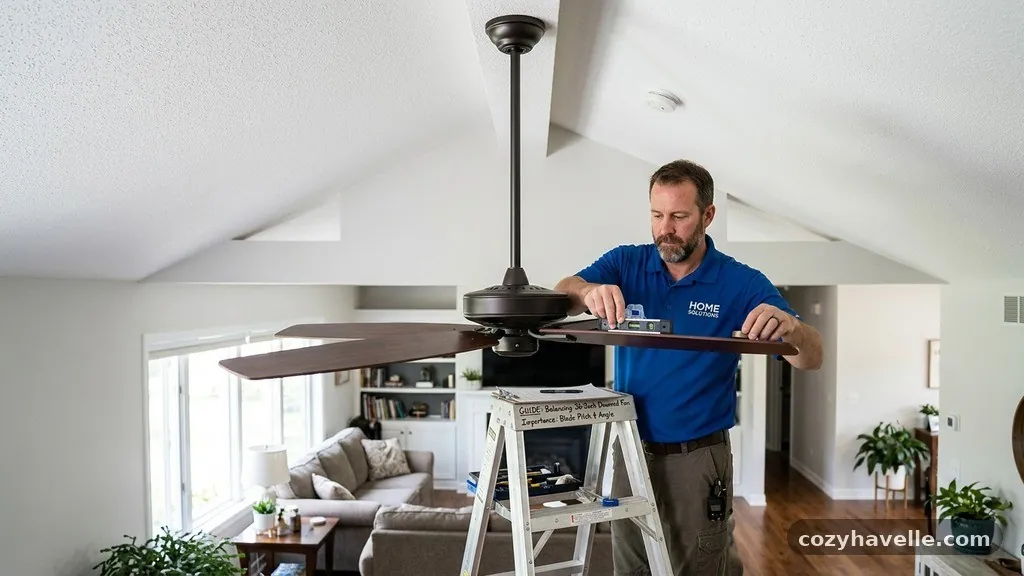
Blade pitch refers to the angle at which the blade is set to move air. If the blade irons are not manufactured with the exact same pitch, the fan will move different volumes of air with each rotation.
This creates a pressure imbalance that manifests as a wobble. Even if the blades weigh the same, a slight difference in pitch will cause the motor to work harder on one side.
To check for pitch consistency, you can use a simple protractor or a template cut from cardboard. Measure the angle of each blade relative to the ceiling surface.
If you find one blade that is angled differently, you can carefully bend the blade iron to match the others. This is a delicate process, so take your time and make incremental adjustments.
It is helpful to keep a record of the blade angles once you have them uniform. If the fan begins to wobble again in the future, you will know exactly what the correct pitch should be. Remember that blade pitch is designed by the manufacturer for optimal airflow; do not alter it unless you are certain the factory alignment has been distorted.
Advanced Balancing Techniques
For stubborn wobbles that persist after using a standard balancing kit, you can try using coins or small washers as makeshift weights. This is useful if you need more mass than what is provided in a standard kit.
Use a small piece of painter’s tape to secure a coin to the top of the blade and test the balance. Once you find the correct weight, you can use a more permanent adhesive or a small screw to secure it.
Another advanced technique involves checking the rotational stability of the motor housing itself. Sometimes the housing is slightly loose on the motor assembly, causing it to vibrate independently.
Check the screws that hold the decorative housing in place. Tightening these can often resolve high-frequency vibrations that sound like a rattle.
If your fan has a light kit attached, ensure it is also balanced. A loose glass globe or a misaligned light fixture can add enough off-center weight to cause a wobble.
Remove the light kit temporarily to see if the fan runs smoothly without it. If it does, you know the issue lies within the light fixture attachment, and you can focus your efforts there.
Frequently Asked Questions
Is it normal for a ceiling fan to wobble slightly?
A very slight, almost imperceptible movement is common, especially with a long 36-inch downrod. However, if the movement is visible from across the room or creates an audible clicking sound, it is not normal and should be addressed. Excessive wobbling can lead to premature wear of the motor bearings and potentially damage the ceiling joist.
Can a wobbly ceiling fan fall off the ceiling?
While rare, a severely wobbly fan can loosen the mounting bracket screws over time. If the vibration is strong enough, it could eventually compromise the integrity of the electrical junction box or the ceiling joist. It is important to fix the wobble before it causes structural damage or creates a safety hazard.
Do I really need a balancing kit?
A balancing kit is the most effective and easiest way to correct blade weight distribution issues. While you can use items like coins, a kit provides specific clips and adhesive weights that are designed for this purpose. It is a small investment that can save you hours of trial and error.
Why does my fan wobble only on the high-speed setting?
High speeds amplify any existing imbalances in the blade assembly. At low speeds, the centrifugal force is not strong enough to make the imbalance obvious. If your fan is smooth on low but wobbles on high, it is a clear indicator that the blade weight or pitch needs adjustment.
How do I know if my ceiling box is fan-rated?
A fan-rated junction box will be clearly marked as such, usually with a stamp on the inside of the box. If you cannot find a marking, or if the box looks like a standard light fixture box, it is likely not rated for the weight and vibration of a ceiling fan. You should replace it with a proper fan-rated box to ensure safety.
When balancing a Ceiling Fan That Wobbles on a Long 36-Inch Downrod, patience is your best tool. Begin by ensuring all hardware is tight, as the extended length of the rod makes it highly sensitive to even the smallest loose screw. Move on to verifying blade alignment and using a balancing kit to correct minor weight discrepancies.
Addressing these factors systematically will almost always restore your fan to smooth, quiet operation. Should the wobble persist despite these efforts, inspect the motor shaft and ceiling support to rule out structural issues.
Maintaining your fixture regularly will extend its lifespan and keep your home comfortable for years to come. If you encounter persistent issues, do not hesitate to reach out for professional help to ensure your setup remains safe and secure.