
Why Is Your Ceiling Fan Motor Making a Loud Humming or Buzzing Noise?
Finding your ceiling fan motor making a loud humming or buzzing noise can be incredibly distracting, especially when you are trying to relax. This persistent sound often indicates that there is a mechanical or electrical issue within the internal components of the fixture. While some minor noise is normal for induction motors, a sudden change in volume usually points toward a specific fault that requires attention.
By identifying the root cause, you can often silence the device without needing to replace the entire unit. This article explores common culprits behind these vibrations and provides practical steps to restore the quiet operation of your home cooling system.
The Primary Cause of Electrical Hum
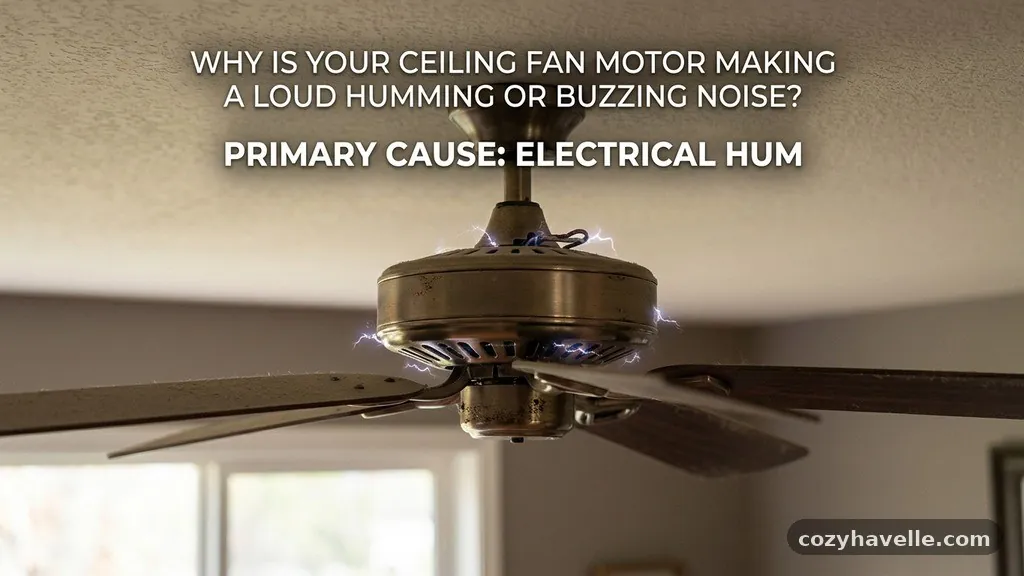
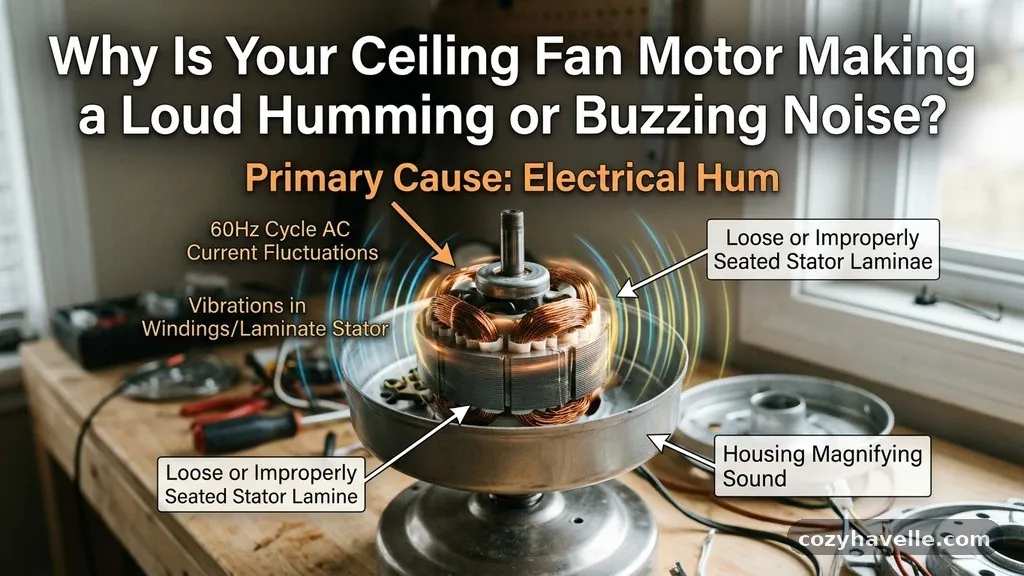
The most frequent reason for your ceiling fan motor making a loud humming or buzzing noise is the use of an incompatible speed control. Many modern residential ceiling fans rely on specific internal circuitry that struggles when paired with a standard wall-mounted dimmer switch.
These switches are typically designed for incandescent lighting rather than inductive motor loads. When you attempt to regulate the speed using a traditional light dimmer, it often causes voltage fluctuations that manifest as an audible buzzing.
This phenomenon occurs because the dimmer switch chops the electrical current, creating choppy power delivery to the motor windings. The resulting electromagnetic vibration creates that characteristic drone that travels through the motor housing.
If you suspect your wall control is the issue, check if the noise disappears when you bypass the switch or use the native pull chain. Replacing a standard dimmer with a dedicated fan speed regulator specifically engineered for motor loads will almost always resolve this interference.
Capacitor Failure Symptoms
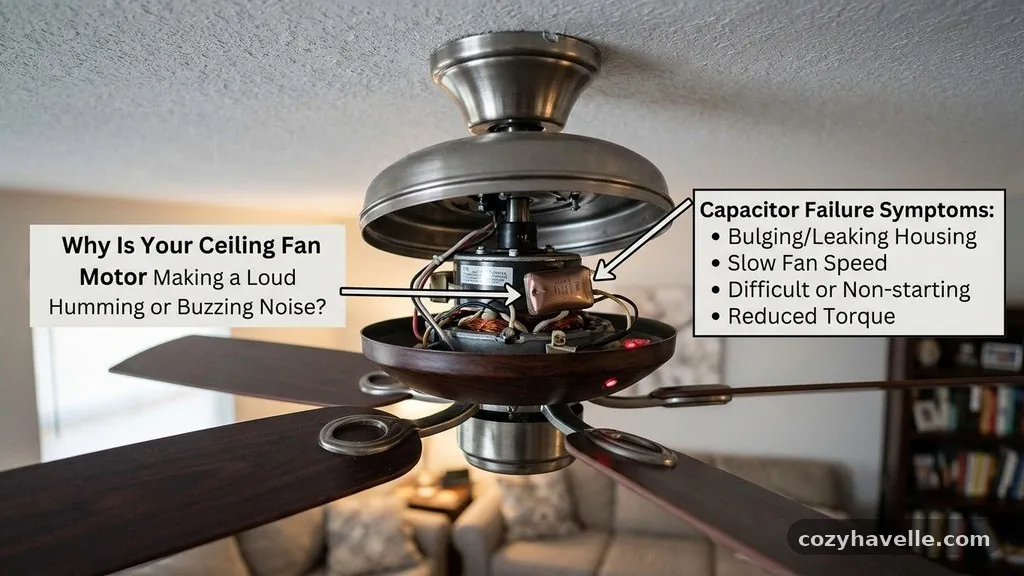
A faulty capacitor is another leading suspect when you notice a persistent electrical hum. The capacitor acts as the energy reservoir that helps start the motor and maintains its speed during operation.
When this component begins to degrade or fails entirely, the motor struggles to maintain consistent torque. This lack of smooth power delivery manifests as an oscillating sound or a low-frequency buzz.
You can often identify a failing capacitor by observing the start-up sequence of the blades. If the fan is slow to start or requires a gentle nudge to get moving, the capacitor is likely the culprit.
Over time, these parts can overheat or leak, leading to a permanent change in the sound profile of the fan. Fortunately, a capacitor is a relatively inexpensive part that can be swapped out if you are comfortable working with electrical components.
Identifying Blade Imbalance and Wobbling
Sometimes the noise you hear is mechanical rather than electrical. If your fan blades are slightly bent or incorrectly weighted, they will cause a physical wobbling effect.
This motion places unnecessary strain on the motor bearings and the internal housing. As the fan rotates, this imbalance transmits vibrations through the entire assembly, resulting in a rattling or buzzing noise that mimics an electrical hum.
Check the alignment of your blades by measuring the distance from the tip of each blade to the ceiling. If one blade sits lower than the others, it is likely bent and needs to be gently adjusted back into position.
A loose blade iron—the metal bracket that attaches the blade to the motor—can also cause this issue. Ensure every screw holding the blades to the motor is tightened securely to prevent the fan from shaking during high-speed operation.
Loose Mounting and Canopy Issues

The ceiling junction box serves as the foundation for your fan, and if it is not firmly secured, it can amplify any minor motor vibration. If the fan canopy is rattling against the ceiling or the mounting bracket is loose, you will hear a distinct buzzing sound.
This is often caused by screws that have backed out over time due to the natural torque of the motor. You should inspect the canopy housing to ensure it is flush against the ceiling surface.
If there is a gap, the motor housing might be vibrating against the mounting hardware. Tightening the screws that secure the bracket to the junction box usually eliminates this mechanical noise immediately.
It is also important to verify that the junction box itself is rated for ceiling fan use. An improperly installed or undersized box can lead to structural instability, which causes the entire fixture to hum loudly as it spins.
Motor Bearing and Lubrication Needs
Older ceiling fans often rely on internal motor bearings that require periodic maintenance to remain silent. Over many years of use, the factory-applied lubricant can dry out or collect dust, leading to increased friction inside the motor housing.
This friction results in a grinding or humming sound that becomes more pronounced as the motor heats up. If your fan is an older model, checking for oil ports is a wise first step.
While many modern residential ceiling fans are “permanently lubricated,” older heavy-duty models often have specific access points for adding machine oil. If you cannot find an oil port, the bearings themselves may have worn down beyond repair.
In these cases, the motor is effectively struggling against its own internal resistance. Regular cleaning of the exterior to remove dust accumulation is also helpful for heat dissipation, as hot motors are prone to louder operational noises.
Electrical Interference and Wiring
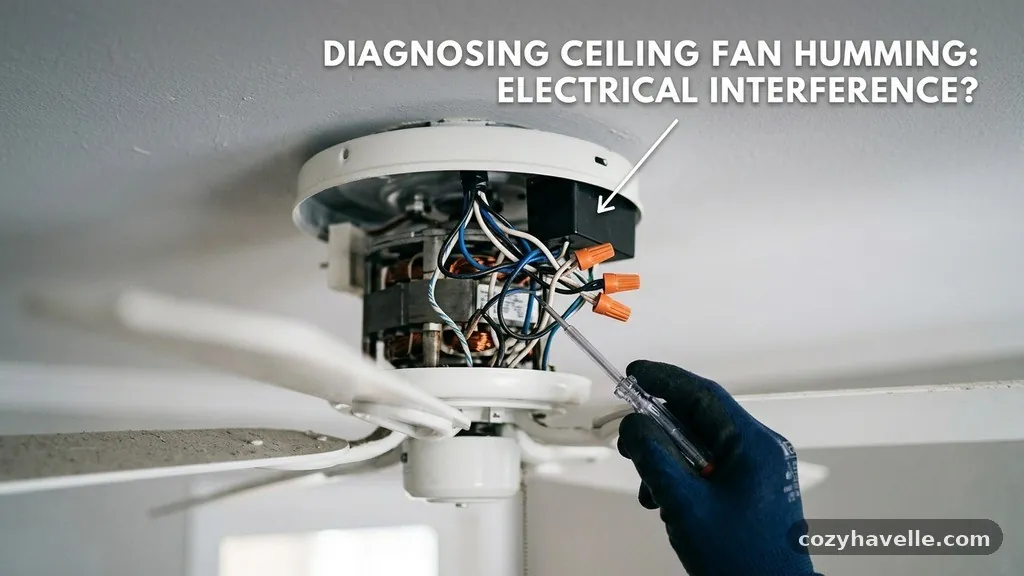
Internal wiring issues can occasionally cause audible buzzing if connections are loose or if there is interference from other circuits. If the wires inside the fan canopy are touching the metal housing, the vibration of the motor can cause them to rattle against the surface.
This creates a sharp buzzing sound that is distinct from the low drone of an electromagnetic hum. Ensure that all wire nuts are tight and that the wiring is tucked neatly inside the canopy.
It is also possible that your home’s electrical system is experiencing voltage fluctuations that affect the fan motor. If you notice the buzzing sound occurs only when other high-draw appliances are running, the issue might be external to the fan itself. You can learn more about how electrical systems function in residential settings by visiting the U.S.
Department of Energy guidelines on home efficiency. Ensuring your home has a stable electrical current is essential for the longevity of all your motorized appliances.
Common Troubleshooting Table
When diagnosing the source of the noise, consider the following table to narrow down the potential cause based on the sound profile and the behavior of the fan.
| Noise Type | Likely Cause | Recommended Action |
|---|---|---|
| Low, constant drone | Incompatible dimmer switch | Replace with a fan-rated speed control |
| Clicking or ticking | Loose blade or debris | Tighten screws and clean the blades |
| Grinding or scraping | Worn motor bearings | Lubricate or replace the motor |
| Rattling or buzzing | Loose canopy or bracket | Tighten mounting hardware |
| Intermittent buzzing | Failing capacitor | Test and replace the capacitor |
Managing Dust and Debris
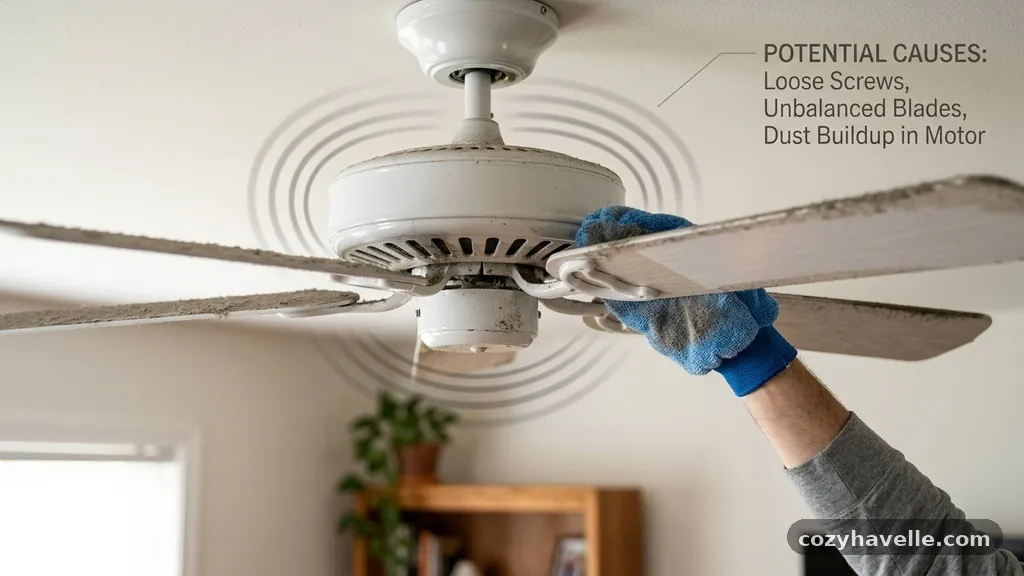
Dust accumulation is a silent contributor to fan noise that many homeowners overlook. When dust builds up on the leading edge of the fan blades, it changes the weight distribution and aerodynamics of the unit.
This creates a subtle drag that forces the motor to work harder than necessary. That extra effort can lead to the motor overheating and producing a louder hum than it would under normal conditions.
Cleaning your fan blades regularly is a simple, non-invasive way to maintain quiet operation. Use a damp microfiber cloth to wipe down both the top and bottom of each blade.
Ensure that no debris has fallen into the motor housing during this process, as even a small piece of loose material can cause significant noise. Keeping the exterior of the motor clean also helps with heat management, which directly impacts the performance of the internal windings.
The Role of the Light Kit
Many ceiling fans come with an integrated light kit that can become a source of noise if not properly secured. The glass globes or metal shades can vibrate against the light housing, creating a high-pitched buzzing or rattling sound.
This noise is often mistaken for a motor issue because it occurs while the fan is spinning. To test this, try holding the light fixture steady while the fan is running to see if the sound stops.
If the noise ceases, you simply need to tighten the thumb screws holding the glass in place. Adding small rubber washers between the glass and the metal housing can also act as a buffer to prevent future vibrations. Checking the light bulbs themselves is also recommended, as loose bulbs can rattle within their sockets during the oscillation of the fan.
FAQ: Addressing Common Concerns
Is it dangerous if my ceiling fan makes a loud buzzing sound?
Most buzzing sounds are caused by minor mechanical or electrical incompatibilities and are not immediately dangerous. However, if the noise is accompanied by a burning smell or excessive heat from the motor housing, you should turn the fan off immediately and disconnect the power.
Can I fix a humming motor myself?
Yes, many causes like loose screws, dirty blades, or incompatible switches are easy to fix. If the issue is deep within the motor bearings or involves complex internal wiring, you may need to consult a professional electrician or replace the unit.
Why does my fan only buzz at low speeds?
This is almost always a sign of an incompatible dimmer switch or a failing capacitor. At low speeds, the motor is more sensitive to the “choppy” power delivered by standard dimmers, which causes the internal windings to vibrate.
Does wobbling always lead to motor noise?
Yes, a wobbling fan puts uneven pressure on the motor bearings and the mounting bracket. Over time, this stress will lead to mechanical wear and eventually produce an audible grinding or buzzing noise.
How often should I clean my fan to prevent noise?
You should aim to dust your ceiling fan blades at least once every three months. This prevents buildup that can lead to imbalances and helps ensure the motor runs efficiently without unnecessary strain.
Conclusion
Identifying the cause of your ceiling fan motor making a loud humming or buzzing noise is a process of elimination. Start by checking the simplest elements, such as the mounting hardware and blade balance, before moving on to electrical components like switches and capacitors. Most of these issues are manageable with basic tools and a bit of patience.
By addressing these vibrations early, you prevent long-term damage to the motor bearings and ensure your fan continues to operate silently. If you have exhausted these steps and the noise persists, it may be time to consider a professional inspection to keep your home comfortable and quiet.